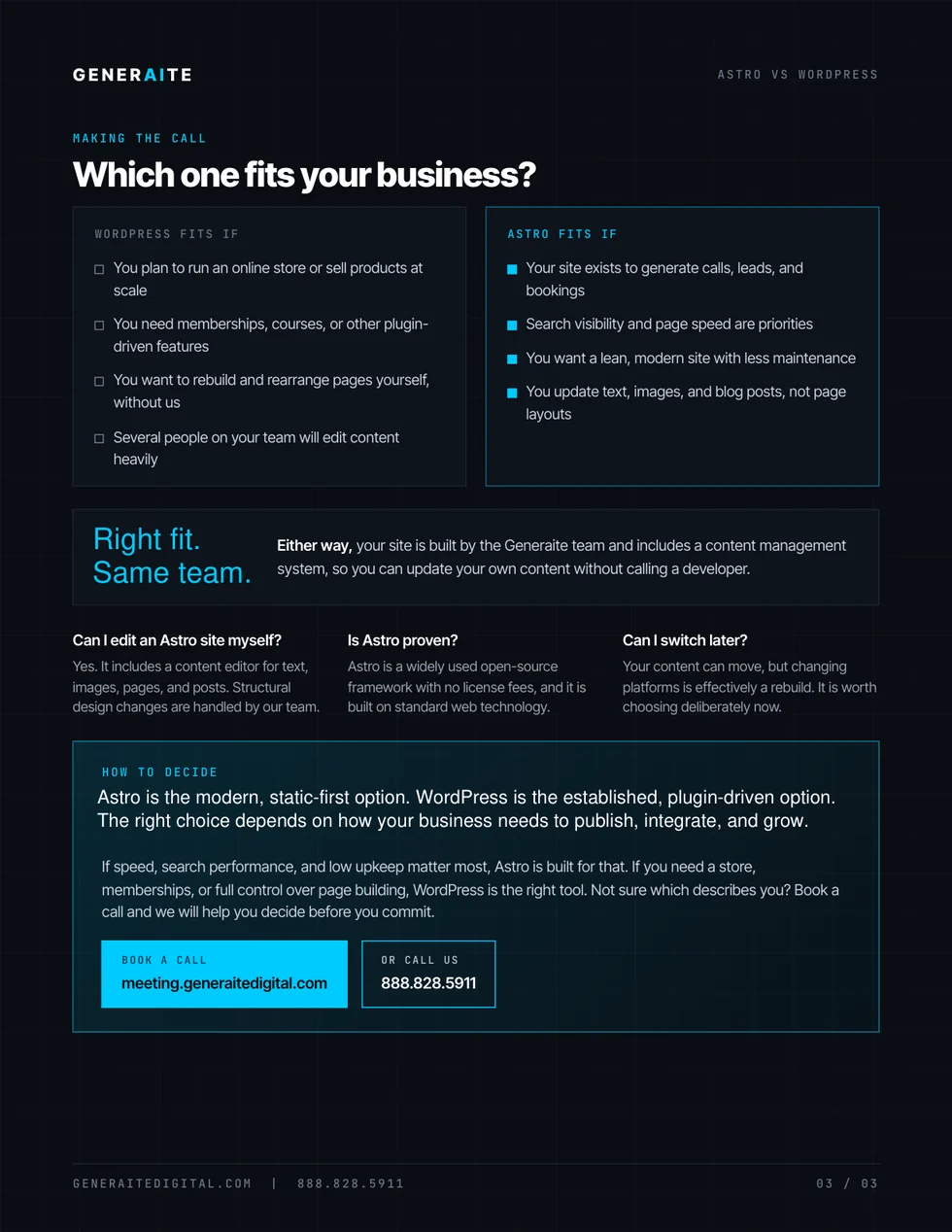
Choose Astro when a business needs a lean, performance-focused website with controlled publishing and a smaller public application surface. Choose WordPress when familiar self-service publishing, a mature plugin ecosystem, or complex editorial workflows matter more. Neither platform wins by default; the operating requirements decide.
- Astro often fits: lead-generation sites, authority publishing, service businesses, custom integrations, controlled design systems, and teams willing to use a scoped editor.
- WordPress often fits: plugin-dependent sites, WooCommerce stores, membership systems, many editorial users, and teams that need broad page-building autonomy.
- Performance, security, SEO, and maintenance depend on implementation—not the platform name alone.
- Project cost should follow scope, integrations, content, migration risk, and governance requirements.
Astro vs. WordPress, side by side
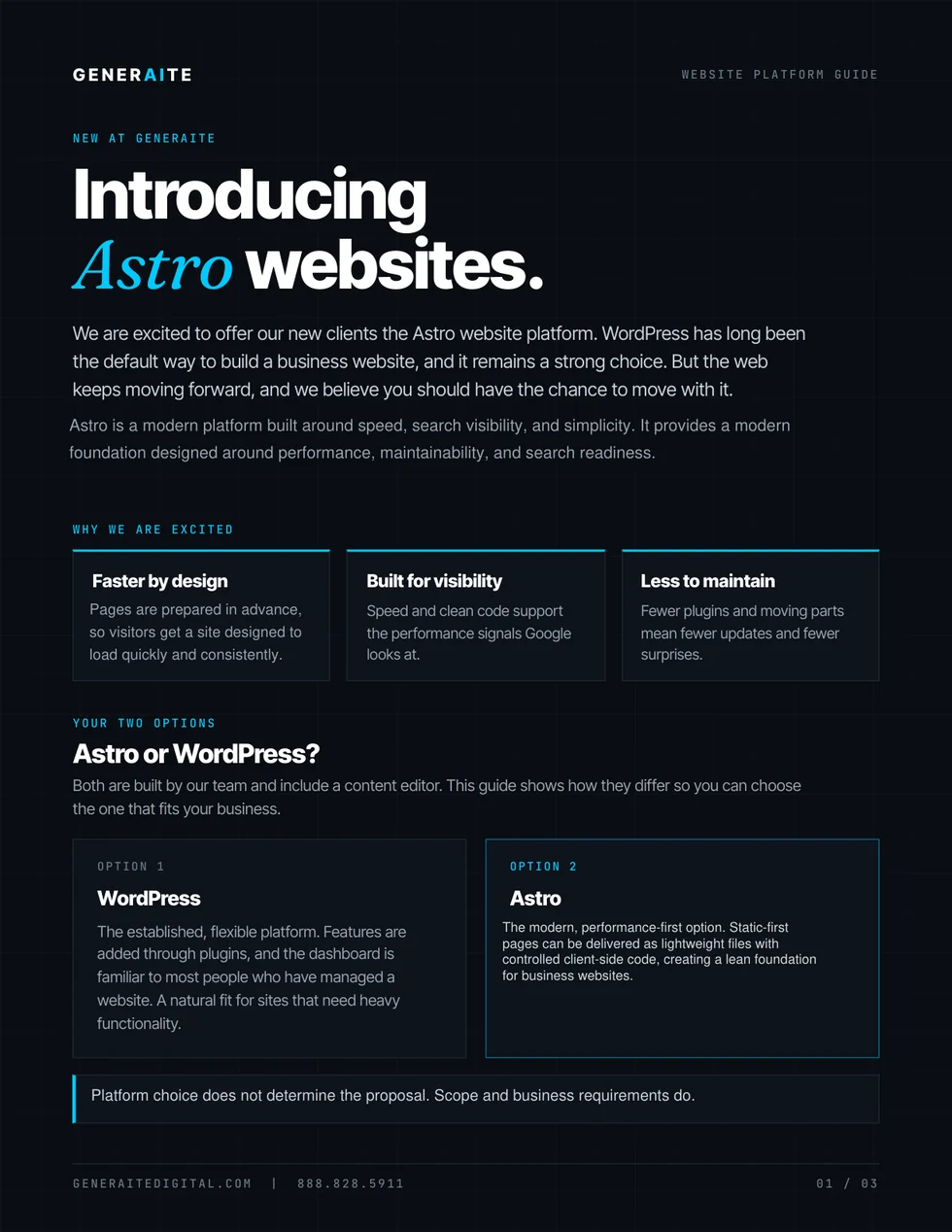
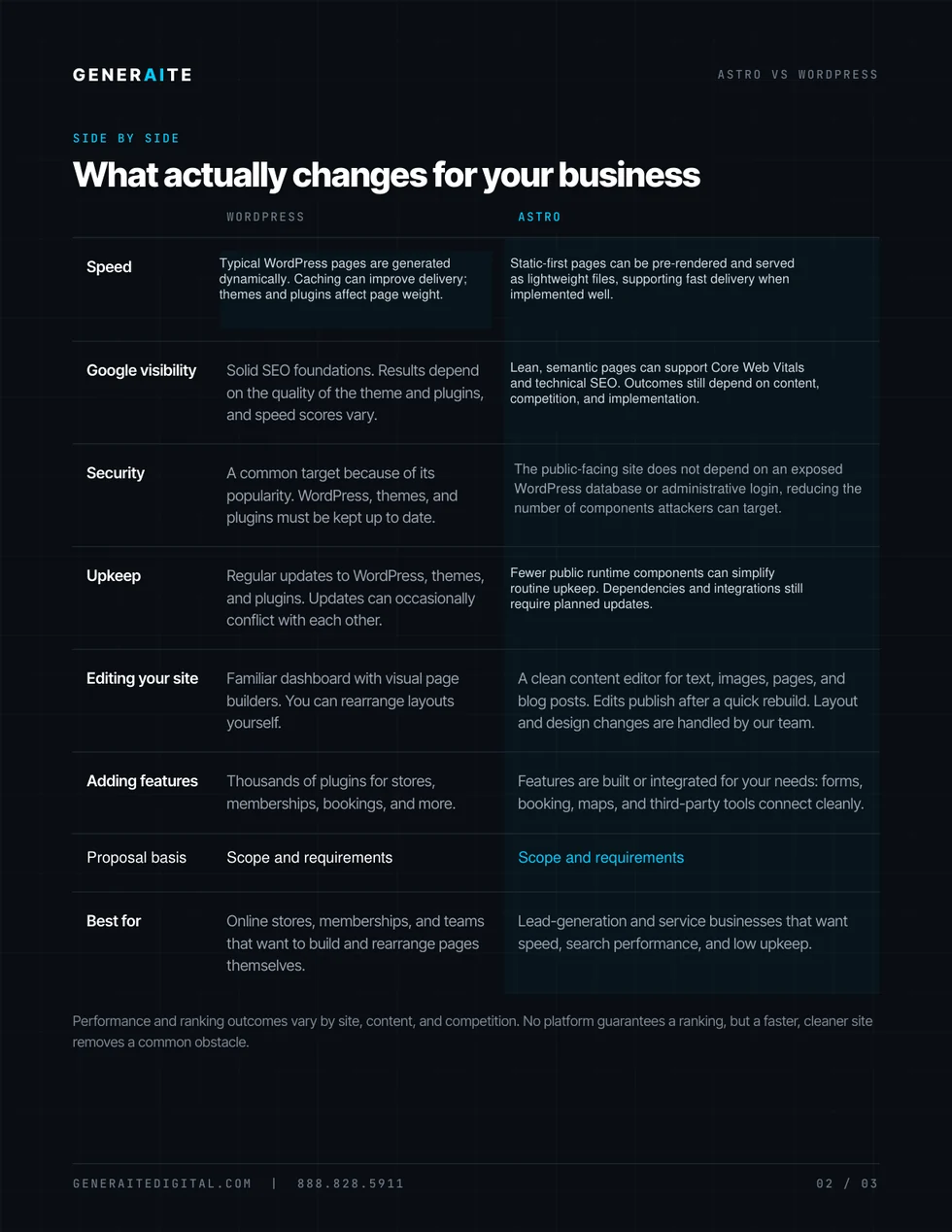
Preview the three-page visual summary, then open or download the PDF for your planning conversation. The complete accessible comparison continues below.
Astro and WordPress solve the website problem differently
WordPress is a content management system and application platform. A typical installation combines a database, server-side runtime, theme, administrator dashboard, and plugins. That combination can support everything from a simple brochure site to a store, membership program, publication, or complex business application.
Astro is a web framework. By default, it can pre-render pages into static HTML at build time, then add interactive components only where the experience needs them. Content can live in files, a headless CMS, or another source. The production website does not have to expose the same editing system that creates the content.
That distinction matters because it changes how the website is published, maintained, extended, and governed. It does not make one platform universally superior.
- The website is primarily a marketing, authority, or lead-generation system.
- Performance, accessibility, and controlled front-end output are high priorities.
- Editors need structured content fields rather than unrestricted page building.
- CRM, forms, search, analytics, and automation will be deliberately integrated.
- The team values versioned changes, review, automated checks, and rollback.
- The team already works efficiently in WordPress and wants to keep that workflow.
- A required plugin provides proven functionality that would be expensive to replace.
- WooCommerce, memberships, or a large editorial operation drives the project.
- Many users need familiar publishing roles and frequent page-level control.
- The business has a dependable WordPress maintenance and security process.
When Astro is the stronger business choice
A focused marketing or authority website
Astro is especially compelling when the public site exists to explain expertise, earn search visibility, publish authoritative content, capture qualified inquiries, and connect those inquiries to the business system. The architecture can stay lean because the production site is not also carrying a general-purpose page builder and application stack.
Performance needs to be designed into the system
Astro’s default build model can send pre-rendered HTML and optimized assets through a content delivery network. That gives the implementation team direct control over JavaScript, images, fonts, layout stability, and component behavior. It creates favorable conditions for performance; it does not guarantee a score. Heavy third-party scripts, poor images, weak hosting, or careless components can still make any site slow.
Google recommends good Core Web Vitals for user experience and search success. The practical business goal is not a vanity test result. It is a website that becomes useful quickly, responds predictably, and removes friction from discovery and conversion.
The public attack surface should be smaller
A static-first deployment can remove a public CMS login, live content database, PHP runtime, and broad plugin footprint from the production website. That reduces several common maintenance and exposure points. Forms, analytics, third-party widgets, hosting credentials, dependencies, and deployment access still require security controls. “Static” is an architectural advantage, not immunity.
Publishing should be controlled, not difficult
Astro does not mean every text change requires a developer. It can use structured content collections or connect to a headless CMS. The useful question is what the team actually needs to change. A marketing coordinator may need titles, service descriptions, staff biographies, locations, FAQs, and articles—not the power to break spacing, hierarchy, schema, or conversion paths on every page.
A scoped editor can protect the design system while giving the team ownership of approved content. If unrestricted drag-and-drop layout control is a firm requirement, WordPress may fit better.
When WordPress is the stronger business choice
A required ecosystem capability already exists
WordPress has an enormous theme and plugin ecosystem. If the business depends on a mature commerce, membership, learning, events, directory, or publishing capability, an established WordPress solution may be faster and less risky than rebuilding that capability elsewhere. The decision should include vendor quality, compatibility, data portability, accessibility, and ongoing maintenance—not just whether a plugin exists.
The team needs a familiar, broad publishing environment
Some organizations have editors, agencies, and operating procedures built around WordPress. Preserving that workflow can be more valuable than changing architecture. A well-designed WordPress implementation can use reusable blocks, permissions, staging, backups, and editorial controls without turning every page into an uncontrolled layout experiment.
The business accepts the maintenance model
WordPress core, themes, and plugins need disciplined updates, testing, backups, access control, and monitoring. WordPress itself advises keeping plugins and themes current. That maintenance is not an argument against the platform; it is part of the platform’s operating cost. A business with a reliable owner and process may accept it comfortably.
SEO and AI visibility are system outcomes
Either platform can support crawlable pages, metadata, canonical URLs, structured data, XML sitemaps, internal links, accessible markup, and useful content. Either can also be implemented poorly.
Astro can make technical output easier to control because templates are explicit and client-side code can remain limited. WordPress can make large-scale publishing easier because editorial tools are built in. Neither architecture creates authority, local relevance, trust, or demand on its own.
The platform should support a larger search visibility system: clear entities, useful answers, proof, internal linking, structured intake, CRM attribution, and measurement from discovery to revenue. Fast pages with thin content will not win the market. Great content on an unreliable site will underperform. The system must do both jobs.
Cost depends on scope and operating model
“Astro is cheaper” and “WordPress is cheaper” are both incomplete claims. Initial build cost depends on content volume, migration, custom design, integrations, forms, editor requirements, ecommerce, compliance, analytics, and quality assurance. Ongoing cost depends on hosting, maintenance, software licenses, publishing support, security, monitoring, and change frequency.
An Astro site may reduce routine production maintenance, but custom features and editorial tooling still require engineering. A WordPress site may begin with ready-made capabilities, but plugin licenses, compatibility work, performance tuning, updates, and incident response can compound. Compare the total operating model over several years, not just the launch proposal.
Can you move from WordPress to Astro later?
Yes, but it is usually a rebuild rather than a one-click conversion. The project should inventory URLs, content types, metadata, schema, forms, redirects, analytics, integrations, media, editor workflows, and features supplied by plugins. Content can often be exported or accessed through an API, but templates and application behavior must be redesigned for the new architecture.
A controlled migration preserves important URLs or maps permanent redirects, validates structured data, tests forms and tracking, compares crawlable content, and monitors search performance after launch. The same discipline applies when moving from Astro to WordPress or between any two platforms.
Use a requirements-first decision framework
Before choosing a platform, answer these questions:
- What must the website do? Define lead capture, publishing, commerce, account access, search visibility, integrations, and measurement.
- Who publishes what? Name editors, approval steps, content types, layout permissions, and publishing frequency.
- Which capabilities are truly dynamic? Separate public content from application features, customer portals, search, calculators, and logged-in workflows.
- What systems must connect? Map the CRM, scheduling, phone, forms, email, analytics, automation, and reporting path.
- Who owns maintenance? Assign responsibility for updates, backups, security, content quality, monitoring, and recovery.
- How will success be measured? Set standards for accessibility, performance, qualified inquiries, source attribution, publishing speed, and operating effort.
The right platform is the one that supports the business process with the least unnecessary complexity—not the one with the loudest advocates.
How Generaite chooses the architecture
Generaite Digital starts with the website’s role in the business system. We examine who needs to publish, what prospects need to understand, how search and AI systems will interpret the content, where inquiries go, what the CRM needs to receive, which integrations are critical, and who will maintain the result.
Then we select the architecture. Astro is one modern option in our website systems and conversion infrastructure work. WordPress remains useful when its publishing model and ecosystem fit the requirement. For some businesses, another platform will be the better answer.
The objective is not to sell a framework. It is to install a website system that can be found, understood, trusted, maintained, and connected to revenue.
Sources and further reading
- Astro documentation: pre-rendering and on-demand rendering
- Astro documentation: content collections and content sources
- WordPress documentation: plugin and theme updates
- Google Search Central: Core Web Vitals and search results
Platform capabilities, integrations, pricing, and maintenance requirements change. Confirm current project requirements and official documentation before selecting an architecture.
Continue with: Website Systems & Conversion Infrastructure and How to Audit Your Business Systems.